Ultimate Hockey DJ app icon - hockey puck with music waves

ULTIMATE
HOCKEY DJ

YOUR RINK. YOUR SOUND. HYPE THE CROWD. IGNITE THE TEAM.

The ultimate sidekick for game day audio. Trigger goal songs, penalty music, power plays, and more with a single tap. Designed to work seamlessly with Apple Music. Built for the beautiful chaos of youth hockey.

10+
Built-in Events
3
Playback Modes
iOS 17+
Required

Download on the App Store

Free to download. Pro features available.
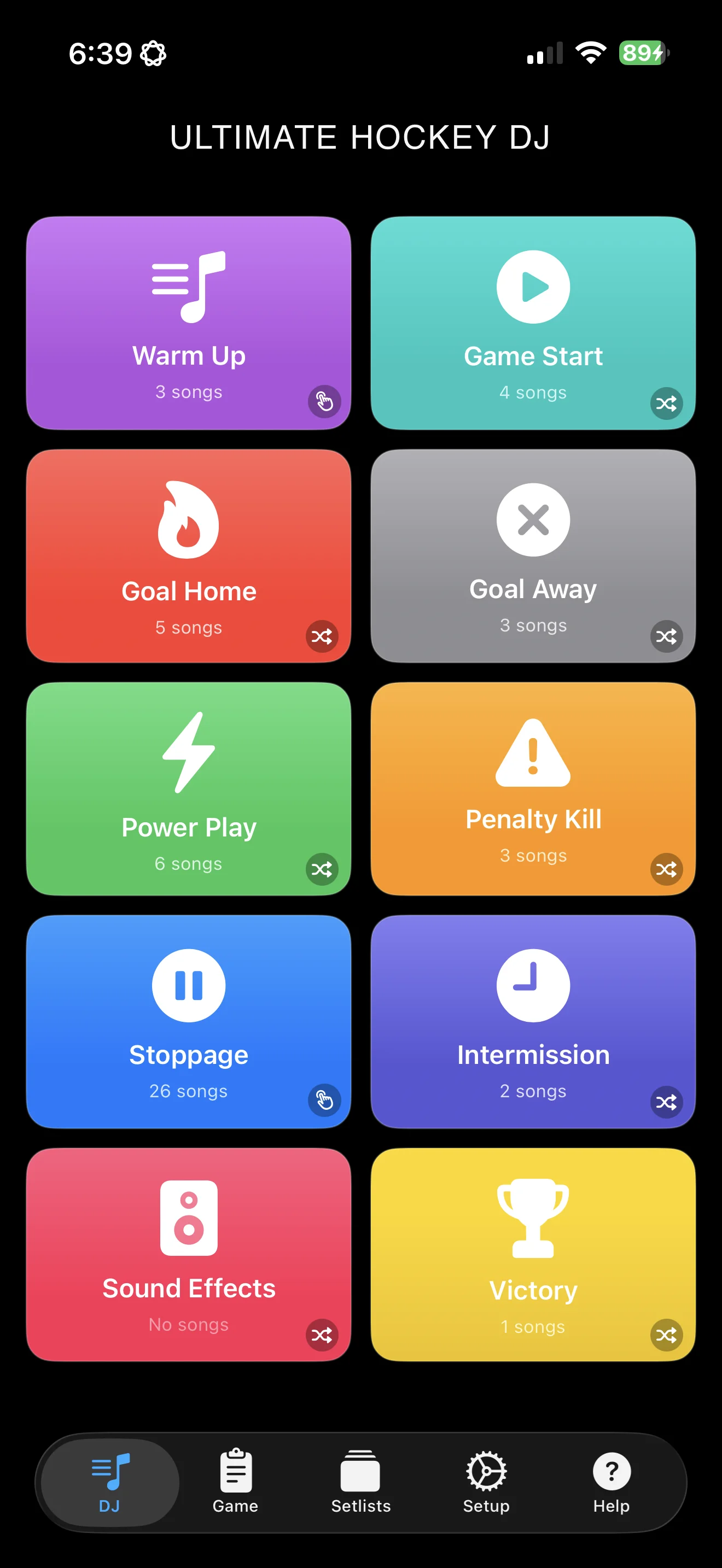
Ultimate Hockey DJ main screen showing colorful event buttons for goals, penalties, and power plays
🏒
🎵
🚨

10 BUILT-IN EVENTS

Pre-configured for hockey. One tap plays the perfect song.

🎵 Warm Up
▶ Game Start
🔥 Goal Home
✕ Goal Away
⚡ Power Play
⚠️ Penalty Kill
⏸ Stoppage
🕐 Intermission
🔊 Sound Effects
🏆 Victory

Pro users can create unlimited custom events with custom names, icons, and colors.

SEE IT IN ACTION

A powerful DJ console, professional audio editing, and smart event management — all in your pocket.

DJ console screen with one-tap event triggers for hockey game music

DJ CONSOLE

Large, colorful buttons for instant playback. Tap an event, hear the music.

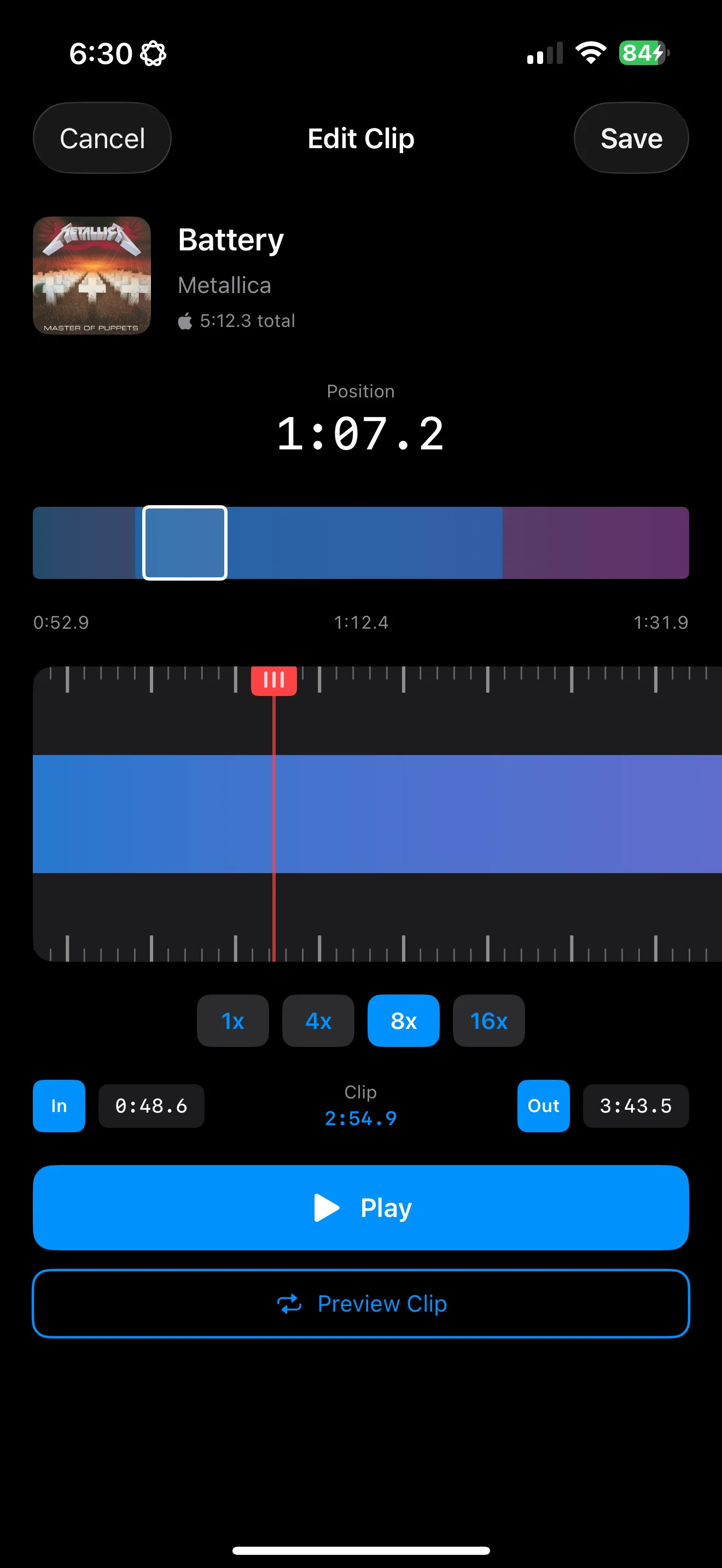
Audio clip editor with visual waveform and pinch-to-zoom for setting start and end points

CLIP EDITOR

Visual waveforms with pinch-to-zoom. Set perfect start and end points.

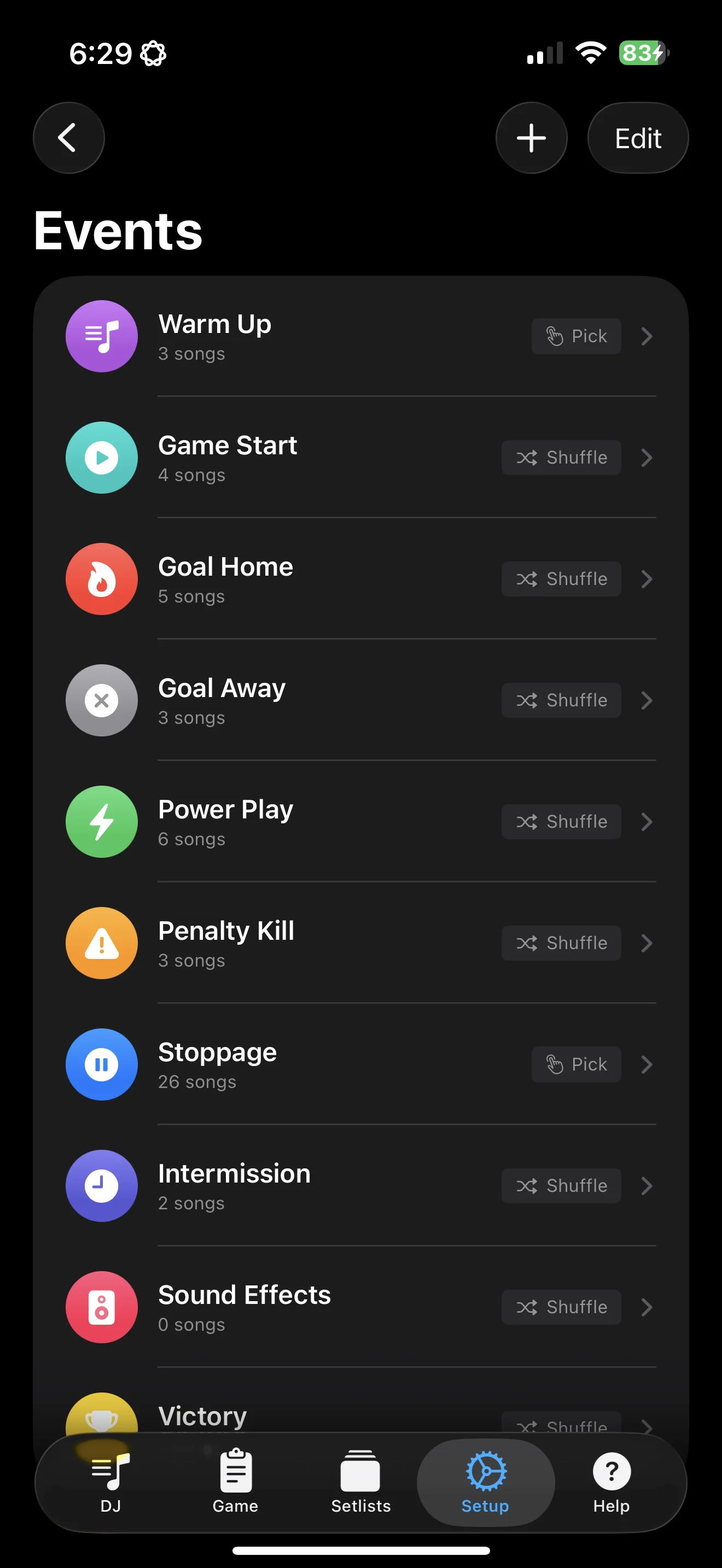
Event setup screen showing song assignments and playback mode configuration

EVENT SETUP

Configure events with multiple songs. Set playback modes per event.

WATCH IT IN ACTION

Quick demos of Ultimate Hockey DJ in action on game day.

GAME-CHANGING FEATURES

Everything you need to run the soundtrack for any hockey game, from mites to varsity.

ONE-TAP TRIGGERS

Quick-tap buttons for every moment—10 built-in events plus unlimited custom ones.

SMART PLAYBACK

Shuffle never repeats until all songs play. In Order follows your order. Pick lets you hand-pick each time.

YOUR MUSIC, YOUR WAY

Stream millions of songs from Apple Music, or import your own MP3, M4A, AAC, WAV, and AIFF files.

PRO AUDIO EDITING

Visual waveform editor: pinch to zoom, set clip lengths, and add fades for clean transitions.

GAME TRACKING

Sessions auto-start on first play and log a timestamped history you can review between periods.

ICLOUD SYNC

Events, songs, and settings sync across all your devices. Set up once, play anywhere.

PRO FEATURE

SETLISTS

Prebuilt setups for every game event. Load one in a tap, then make it your own.

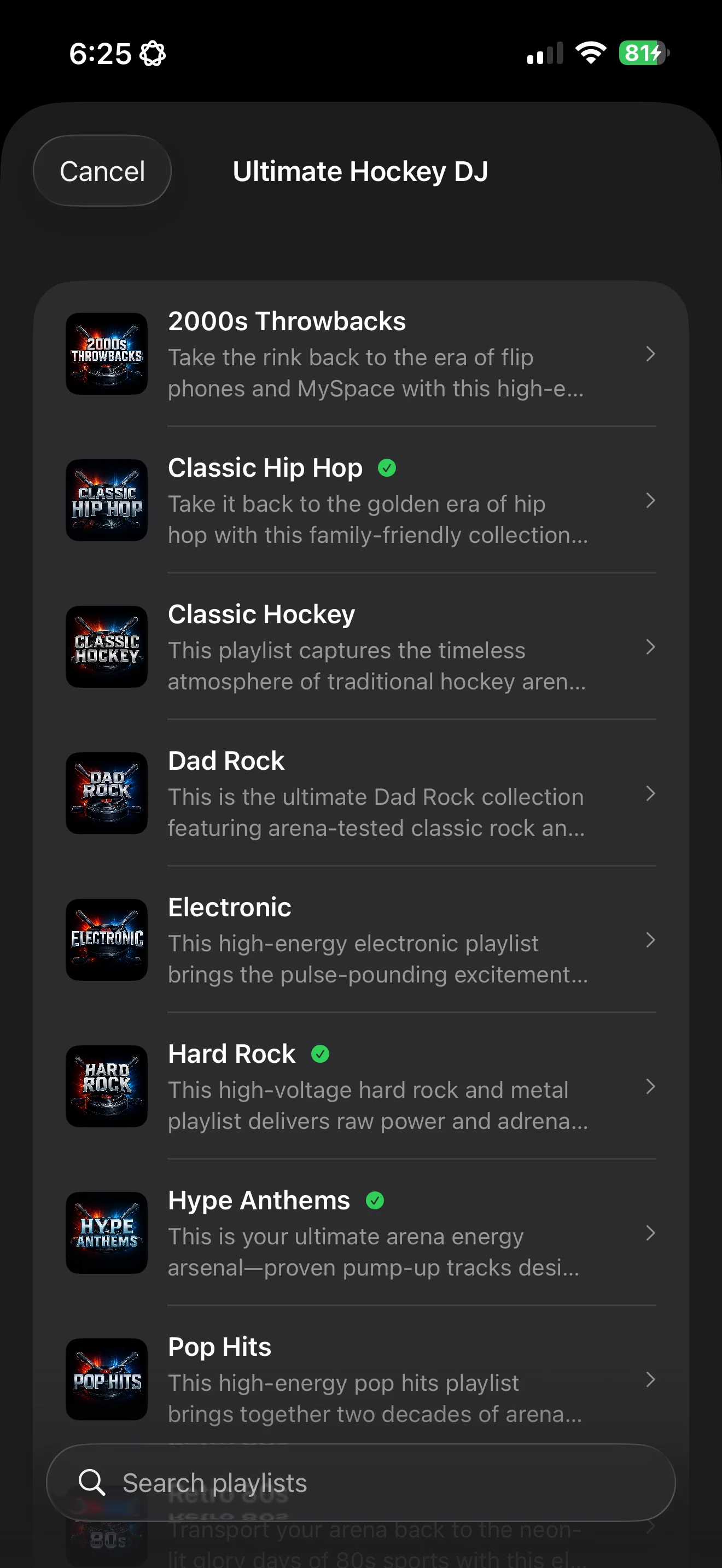
Browse curated hockey setlists including Classic Hip Hop, Dad Rock, and Hype Anthems
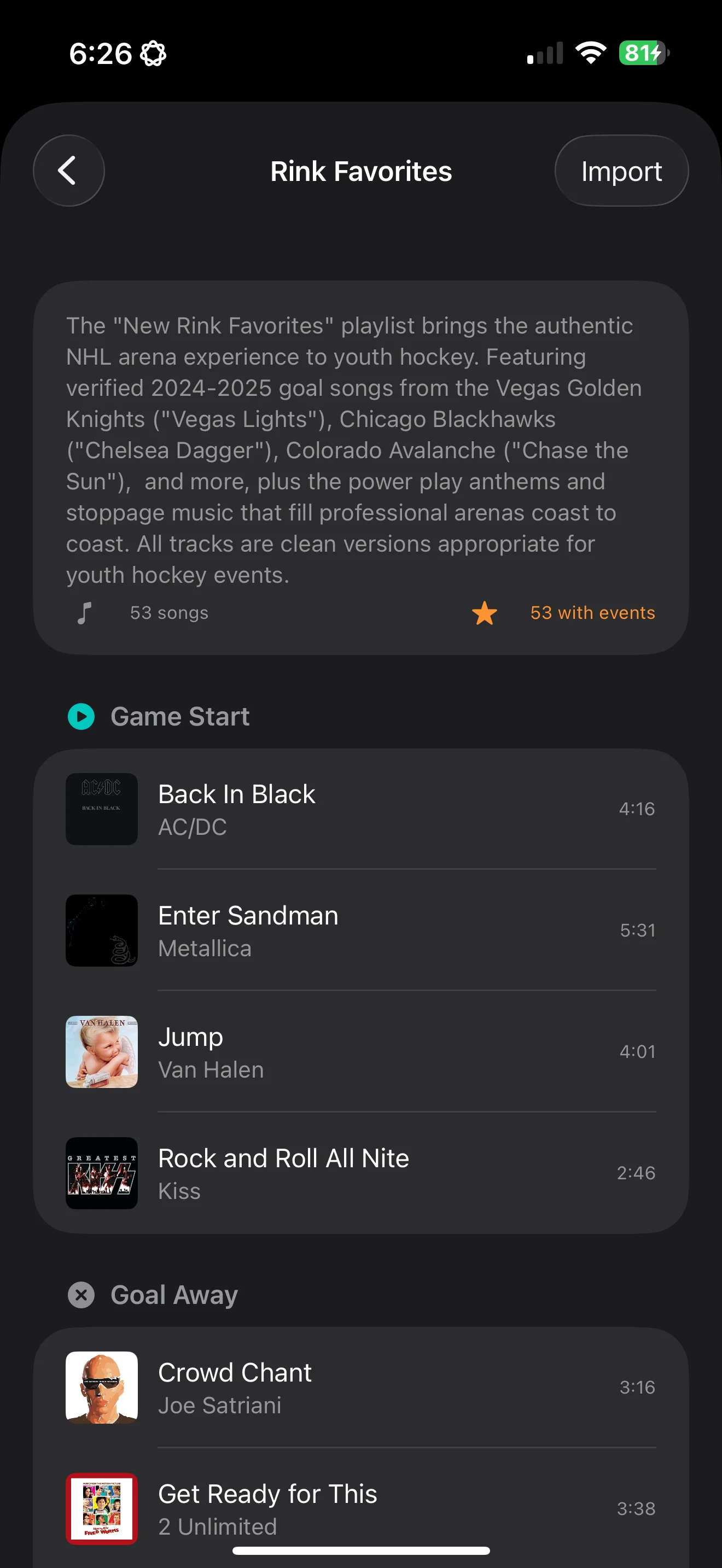
Setlist detail view showing songs assigned to each hockey event

HAND-PICKED THEMES

Classic Hip Hop, Dad Rock, Hype Anthems, Pop Hits, Rink Favorites—curated with arena-tested tracks.

USE IT AS A BASE

Add, swap, and reorder songs to fit your team, then save your own version. Switch entire setups in one tap.

ALWAYS GROWING

We add new setlists regularly—holiday themes, seasonal vibes, and fresh collections.

Browse the Setlists

Preview the songs in each one. Curated setlists require an Apple Music subscription for playback.

NEW PRO FEATURE

SONG REQUESTS

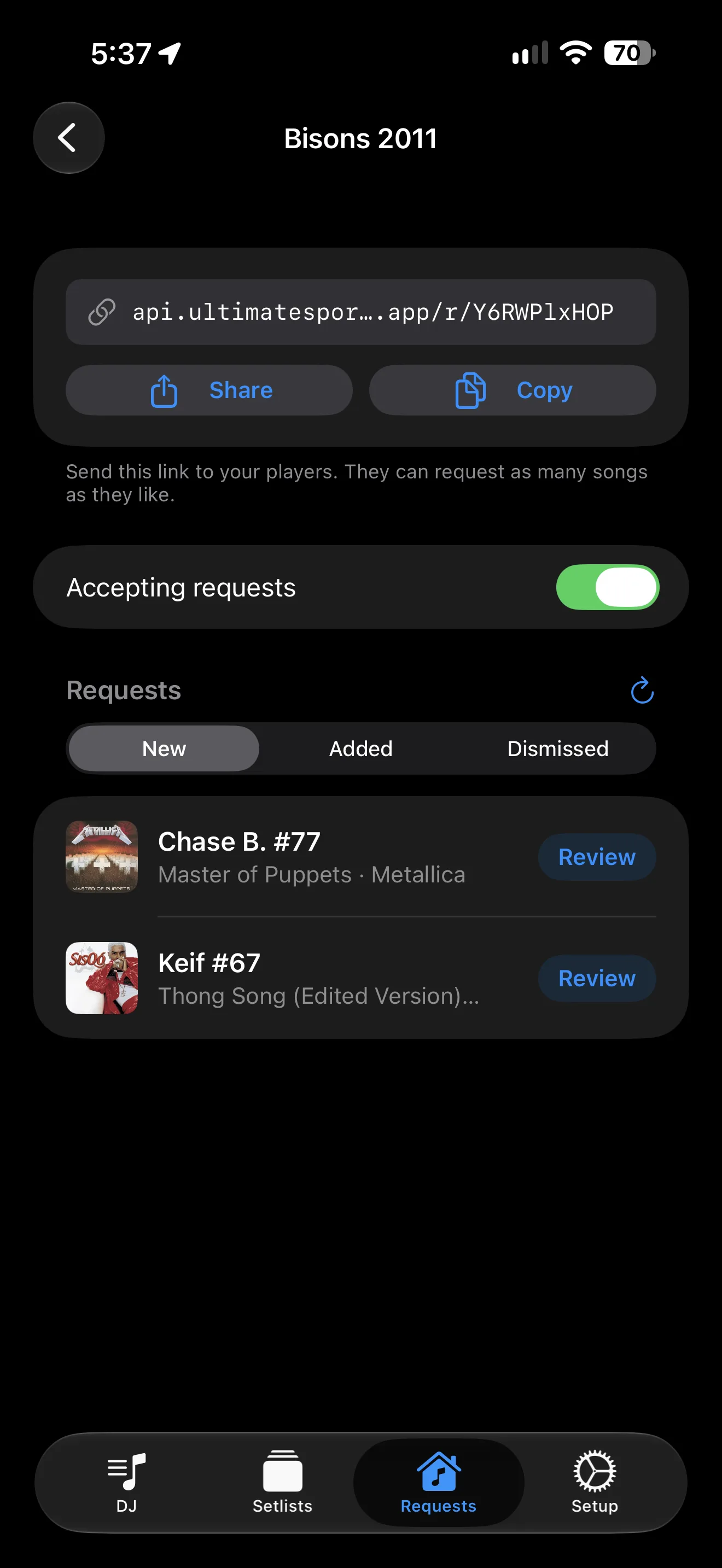
Let your players pick their own songs. Send one link and they can request songs from any browser—no app needed.

Song requests screen showing a shareable team link, an accepting requests toggle, and new requests from players
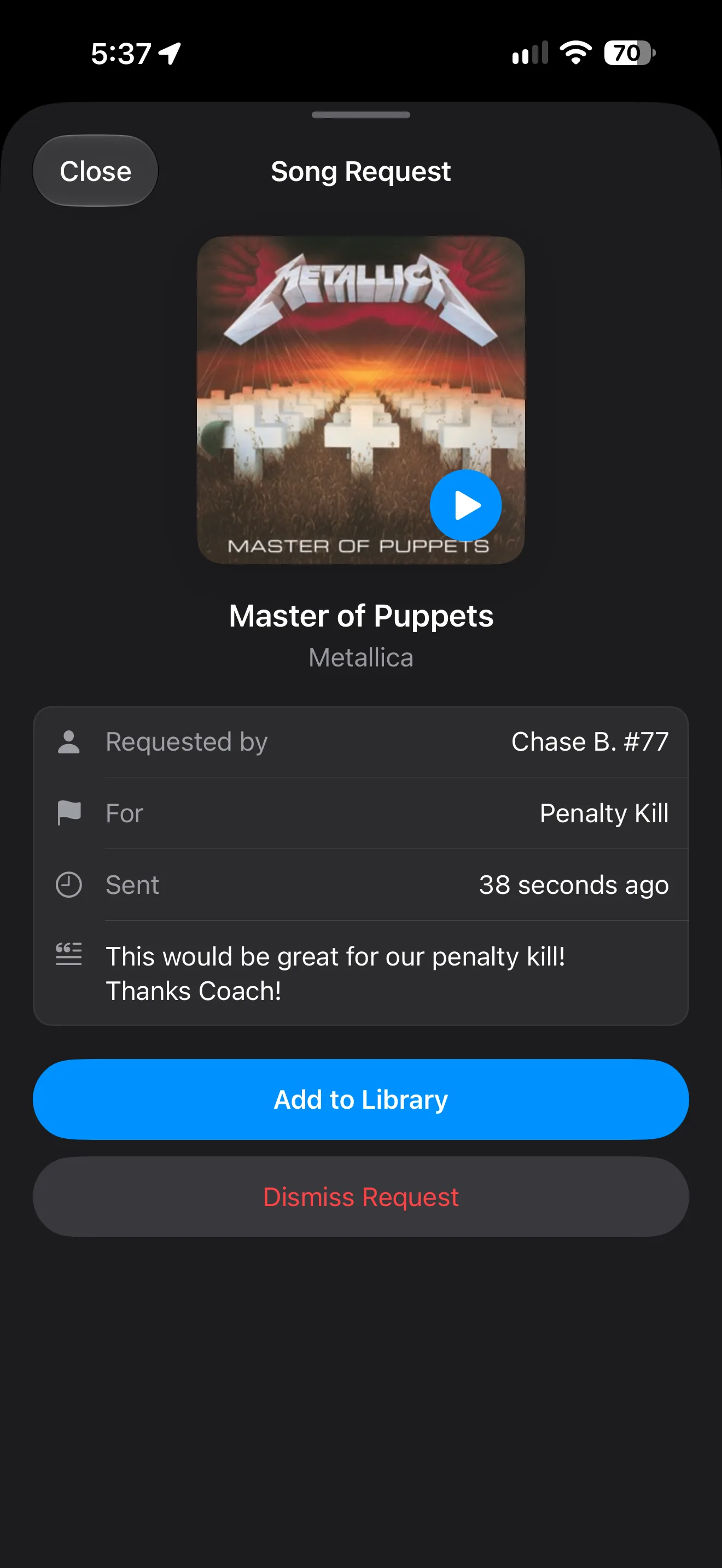
Reviewing a player's song request for the penalty kill, with a song preview and Add to Library button

SHARE ONE LINK

Create a link for your team and send it by text or group chat. Players search Apple Music and request as many songs as they like.

YOU HAVE FINAL SAY

See who asked for each song, hear a preview, then add it or dismiss it. If a player picked an event like Penalty Kill, the song lands there automatically.

BUILT FOR YOUTH TEAMS

Leave explicit songs off and they won't show up in players' searches. Close the link anytime, and requests pause after 200 so your team can't flood you.

Song Requests requires an Apple Music subscription on the device running the app. Players don't need an account.

HOW IT WORKS

Four steps to game-day ready.

1

ADD YOUR SONGS

Import from Apple Music or drop in local files.

2

EDIT YOUR CLIPS

Trim each song so it starts right at the hook.

3

ASSIGN TO EVENTS

Map songs to goals, power plays, intermission, and more.

4

TAP TO PLAY

One tap during the game and the crowd goes wild.

PRO FEATURES

UNLOCK THE FULL EXPERIENCE

Free users get 10 songs and shuffle mode. Go Pro for the complete toolkit.

∞
Unlimited Songs
∞
Custom Events
3
Playback Modes
Setlists
Song Requests
SEASON PASS
6-month subscription
LIFETIME
One-time purchase

COMMON QUESTIONS

Everything you need to know to get started.

Do I need an Apple Music subscription?

Only if you want to use Apple Music songs. You can search the Apple Music catalog without a subscription, but playback requires an active subscription. You can also import your own local audio files (MP3, M4A, AAC, WAV, AIFF) without any subscription.

How does Shuffle mode prevent repeats?

Shuffle mode tracks which songs have been played during the current game session. It won't repeat a song until all songs in that event's pool have been played, then the cycle resets. This ensures variety throughout the game.

What clip length should I use for goal songs?

We recommend 15-30 seconds for goal songs, starting at the most exciting part (usually the chorus). For intermission music, longer clips or full songs work great. Sound effects should be short and punchy.

Can I use the app offline?

Yes! Local audio files always work offline. For Apple Music songs, you'll need to download them first. Pro tip: export your current setup to an Apple Music playlist with one tap, then set that playlist to download automatically. All your game day songs, ready to go—no wifi required at the rink.

What do I get with Pro?

Pro unlocks five key features: Unlimited Songs (free users are limited to 10), Custom Events (create your own beyond the 10 built-in ones), All Playback Modes (In Order and Pick modes in addition to Shuffle), Setlists (save, load, and browse curated music configurations), and Song Requests (send your team a link so players can request songs from any browser).

GAME DAY TIPS

Set yourself up before the puck drops.

🔋

CHARGE UP

Fully charge your device before the game.

🔕

DO NOT DISTURB

Enable DND to prevent interruptions mid-game.

🔊

TEST AUDIO

Connect and test volume levels during warmups.

GET ULTIMATE HOCKEY DJ

Download now and turn every game into an unforgettable experience. Free to try, Pro to master.

Download on the App Store

Requires iOS 17.0 or later.

Looking for songs? See our hockey game day music guide.

Ultimate Dugout DJ app icon

ALSO FROM ULTIMATE SPORTS DJ

ULTIMATE DUGOUT DJ

Walkup music for your entire baseball roster. Available now for iOS.

Learn more
Ultimate Basketball DJ app icon

ALSO FROM ULTIMATE SPORTS DJ

ULTIMATE BASKETBALL DJ

Starting lineup intros and game day music for basketball. Coming soon to iOS.

Learn more